Testing a Wacom drawing tablet
Time for some drawing practice, but this time a bit different than usual. No paper, pencil, markers or watercolor, but a drawing tablet and digital software to draw. Something I have never tried before, so this is going to be a new challenge with new opportunities!
I started doing some research on what tablet to buy, to figure out which drawing tablet out of all options (and there are many!) I wanted to try out. In the end I decided upon a Wacom cintiq 16. I chose this one because of the relative large 16 inch screen, providing a decent drawing space, while still keeping it (slightly bulky) yet portable, as I will have to transport it to drawing classes weekly. The Wacom cintiq is no standalone tablet, but needs to be connected to a laptop for it to work.
After figuring this out, I bought a second hand Wacom cintiq 16 (2019). This is the slightly older model, but still a very good Wacom product. In this way I can just try digital drawing, without having to invest a lot of money before even knowing if I like it.
So now that I have a drawing tablet it is time to set it up, install the Wacom drivers and appropriate drawing software. For the first tests I installed Krita, a free drawing program that many people appreciate. Now it is time to get to know my tablet and software and make some cool drawings.
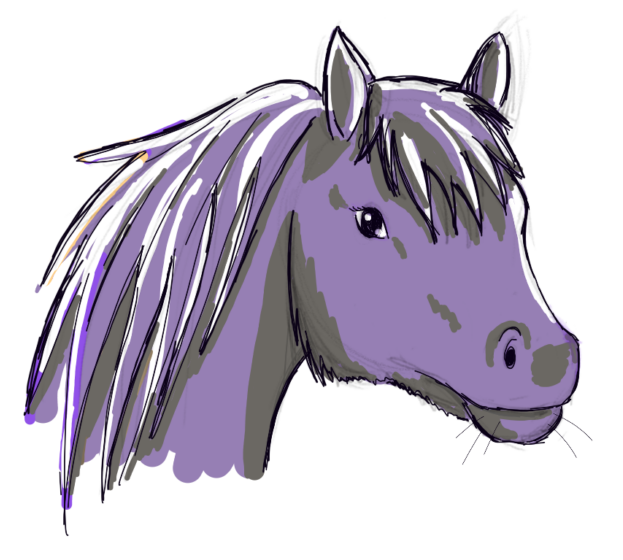
Drawing 1 – The purple horse
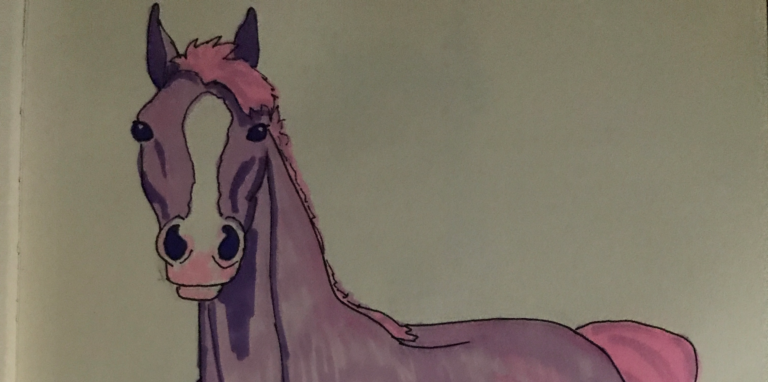
After some first testing and calibrating the pen with the tablet I decided to start on my very first digital drawing. Of course my first test drawing had to be a horse. I made this sketch in the evening so I put my laptop on nightlight, making the screen reddish to protect my eyes. However this did influence the color choice. Everything appeared to be brown with different shades when I was adding the colors, due to the red coverage.
Eventually when I turned of the night light the horse turned out to be purple, with green and yellow. So a tip for all of you: don´t pick colors with night light on! Except if you want it to be a surprise what color your drawing is going to be in reality.
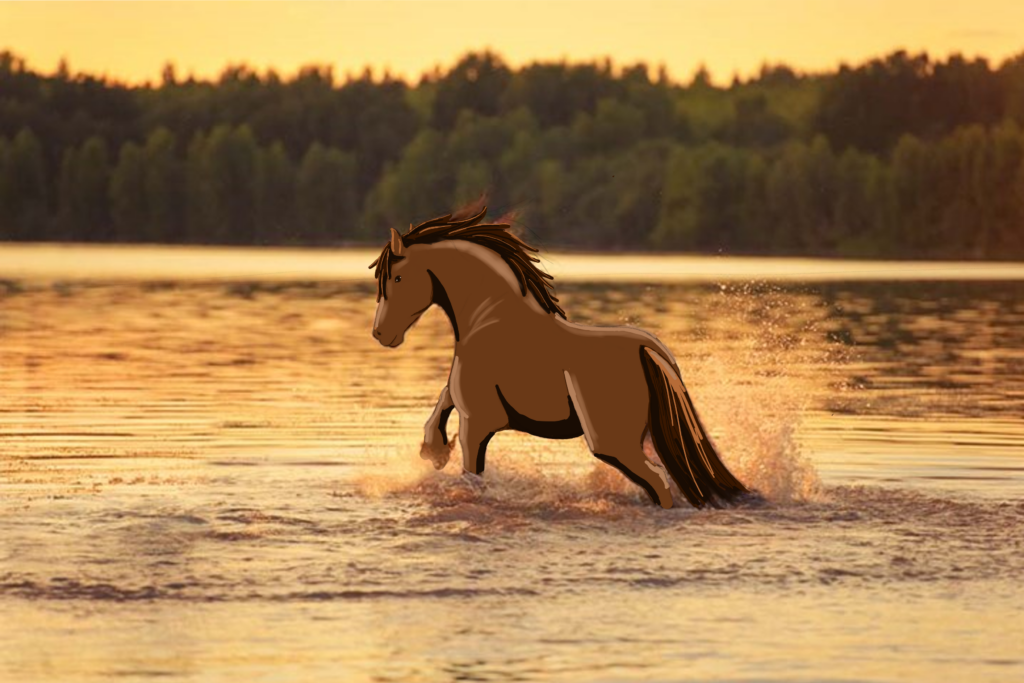
Drawing 2 – A horse in the lake
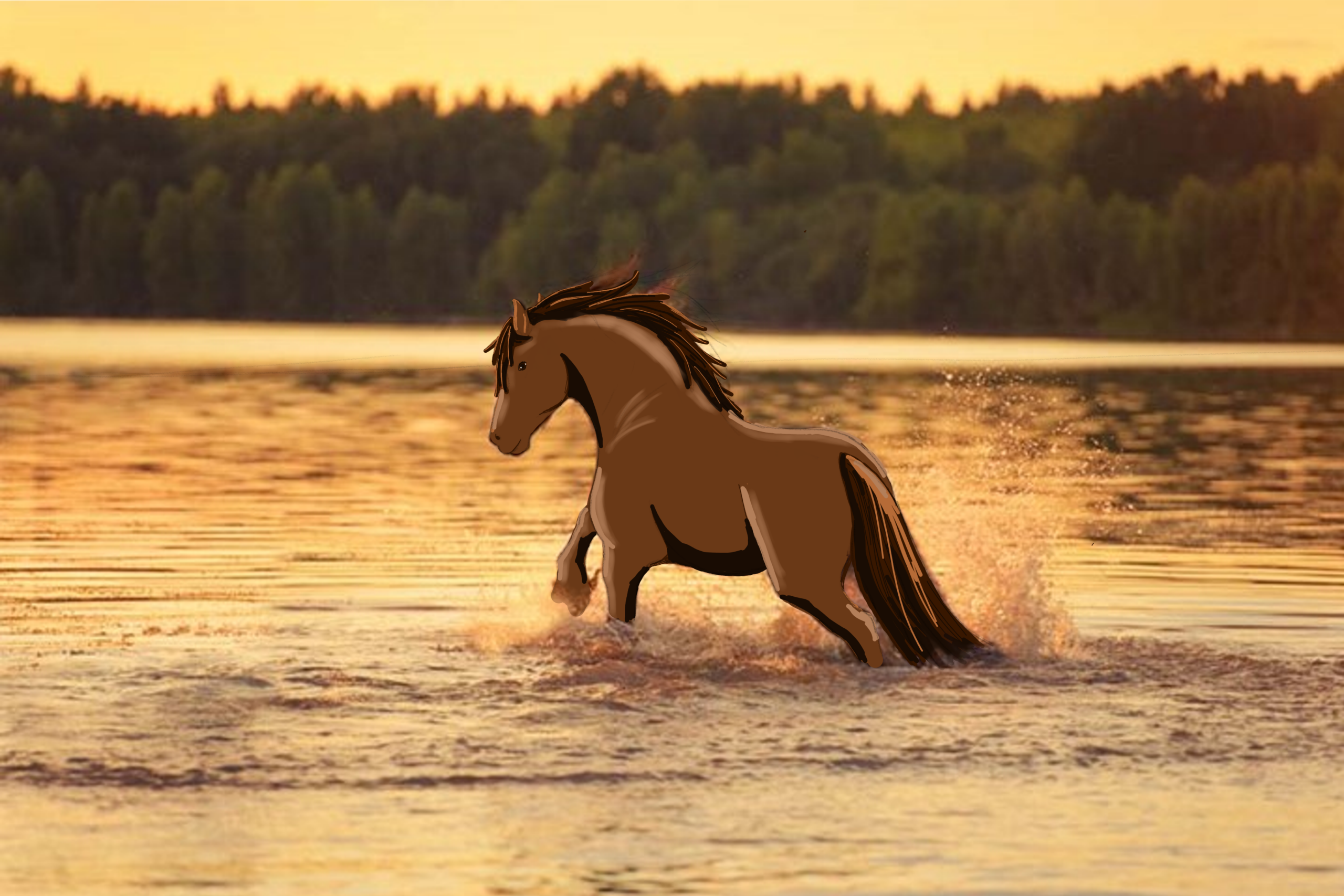
For the second trial drawing I wanted to test how to work with a imported reference image. Therefore I went online to find a beautiful picture of a horse standing in the lake during sunset. I drew a horse over the actual horse picture, but kept the background the same. So it turns into an image featuring a cartoon horse in a real background which I think is a really funny style. This drawing is something completely different. I could have never done anything like this on paper, so it is nice to explore new options.
Overall I had a lot of fun drawing these 2 horses, and I am excited to explore, and test new options and create many drawings with this tool! What do you guys think?